
















Best Fitness Gadgets for Tracking Your Running Performance
Every runner hits the same wall at some point. You're putting in the kilometres, but you can't tell if you're actually getting better. Is your pace improving? Are you covering more distance than last month? Are you recovering well, or just running tired? Without numbers, it's mostly guesswork, and that's exactly where fitness gadgets earn their place.
The trick is choosing gadgets that track what actually matters, without turning your run into a juggling act. Here's what to measure, what to look for, and the one piece of gear that handles most of it from your feet.
What Runners Should Actually Track
You don't need 40 metrics. A handful tell you almost everything.
Pace. How fast you're running, both live and on average. It's the clearest sign of progress over weeks and months.
Distance and route. Knowing where you ran and how far lets you compare routes, plan longer runs and see how your fitness changes on the same path.
Steps. Step count gives you a simple measure of daily movement and training volume, which helps you avoid doing too much too soon.
Recovery. Running well isn't only about the run. How you recover decides how well you run tomorrow.
Safety. Early mornings, late evenings and quiet routes are part of most runners' lives, so a safety feature isn't a luxury.
What Makes a Fitness Gadget Worth Using
Before buying anything, check a few basics. Accuracy comes first, because a tracker that guesses is worse than none. Look for live feedback you can use during the run, not just a summary afterwards. Comfort matters too, since a gadget that irritates you ends up in a drawer. And simplicity wins. The best device is the one you'll actually wear every run, without fiddling with straps, phones or extra chargers.
That last point is why a lot of runners are moving towards gadgets built into what they already wear, and the thing every runner always wears is shoes.
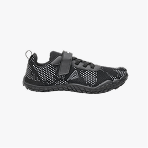
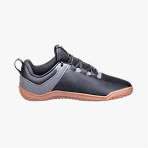
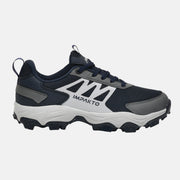
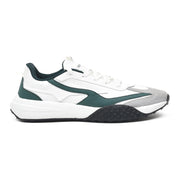
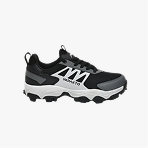
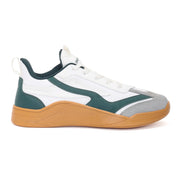
The Gadget Hiding in Your Shoes: Impakto Navigator Smart Shoes

The smart shoes from Impakto are built around that idea. Instead of strapping something to your wrist or carrying one more device, the tracking sits in the shoe itself, right where your running actually happens. Here's what they track and how it helps your running.
Step counter. Sensors track your feet's movement, and the step counter is tested for 99.9% accuracy. That's the base of every other number you'll rely on.
Live fitness tracking. AI-driven analytics learn how you move and give you real-time feedback and insights so you can follow your performance, progress and goals as you run, not only after you finish.
Live pace monitoring. The shoes monitor your pace and track your workout live, which makes it much easier to hold a steady speed or push the last kilometre.
GPS activity monitoring. This works as a workout route and progress tracker, so you can map your workouts and movement and compare routes over time.
Recovery mode. After the run, haptic vibrations with 2 modes stimulate and relieve your muscles. The system unlocks 10 seconds of massage for every 100 steps, which gives your legs a bit of help while you cool down.
S.O.S. safety. The shoes include fall detection. When the shoes stay at a 90-degree angle for 30 seconds, they send SMS alerts to 4 emergency contacts. For anyone who runs alone or at odd hours, that's a real peace of mind feature.
Gesture controls. You can control things with your feet, like playing music, answering calls or taking a photo. The heel up gesture works at a 75- to 80-degree angle, and the toe up gesture at 60 to 75 degrees. Gestures can also trigger a torch, a phone finder, speed dial for up to 4 contacts, hands-free camera control and links to up to 4 URLs. Mid-run, that means no fumbling with your phone.
Comfort is built in. The shoes are made using foot science, with a wide toe box designed for Indian feet, so the tracking doesn't come at the cost of a comfortable run.
You can explore the Navigator men's smart shoes and the Navigator women's smart shoes to see which fits you.
How to Use Your Data to Run Better
Collecting numbers is easy. Using them is what makes you faster. Start by picking one goal, like holding a steadier pace or adding a bit more distance each week. Check your live pace during runs to learn what an easy effort actually feels like. Compare the same route over a few weeks to see real progress. Use your step count and recovery to spot when you're overdoing it. Gradual improvement beats sudden jumps, and the data helps you resist the urge to do too much.
Keep It Simple
You don't need every gadget on the market. One reliable tracker that covers pace, distance, steps and safety, and that you'll happily use every run, beats a bag full of devices that never get charged. Pick something comfortable, check the numbers regularly and let the rest of the run stay about running.
Final Thoughts
Tracking your running performance should make running more enjoyable, not more complicated. Focus on pace, route, steps, recovery and safety, and choose gear that fits naturally into your routine. If you want all of that built into the one thing you already wear on every run, smart shoes are well worth a look.
Frequently Asked Questions
What should I track to improve my running
Start with pace, distance, route, steps and recovery. Together they show how fast you're running, how much you're doing and how well your body is coping.
Do smart shoes track running performance
Yes. The Impakto Navigator smart shoes include a step counter, live fitness tracking, live pace monitoring and GPS activity monitoring to track your workouts and routes.
Can smart shoes help with recovery after a run
The Navigator's recovery mode uses haptic vibrations with 2 modes to stimulate and relax your muscles, unlocking 10 seconds of massage for every 100 steps.
Is there a safety feature in the Navigator smart shoes
Yes. The S.O.S. feature detects falls and sends SMS alerts to 4 emergency contacts when the shoes stay at a 90-degree angle for 30 seconds.
Do I need a phone to use the gesture controls
The gestures let you control your phone with your feet, such as playing music, answering calls or taking a photo, so you can do more without touching the screen.